
Create interactive 360º virtual tours in the most easy and pleasant way: 360º views (panoramas), 360º videos, embedded sounds, videos and photos, floorplans and fully customizable frames.
https://www.3dvista.com/en/products/virtualtour
Integration
This integration is built by the Igloo Vision development team utilising the WebXR compatibility feature of 3DVista Virtual Tour Pro.
Usage
Ensure your virtual tour is compatible:
-
Publish your tour to Web/Mobile or 3DVista Hosting Service using the latest version of 3DVista Virtual Tour Pro (release 2025.0.2)
-
Include the VR button in your tour skin https://www.youtube.com/watch?v=oLVJ9hH21tw
Follow these steps in Igloo Core Engine:
-
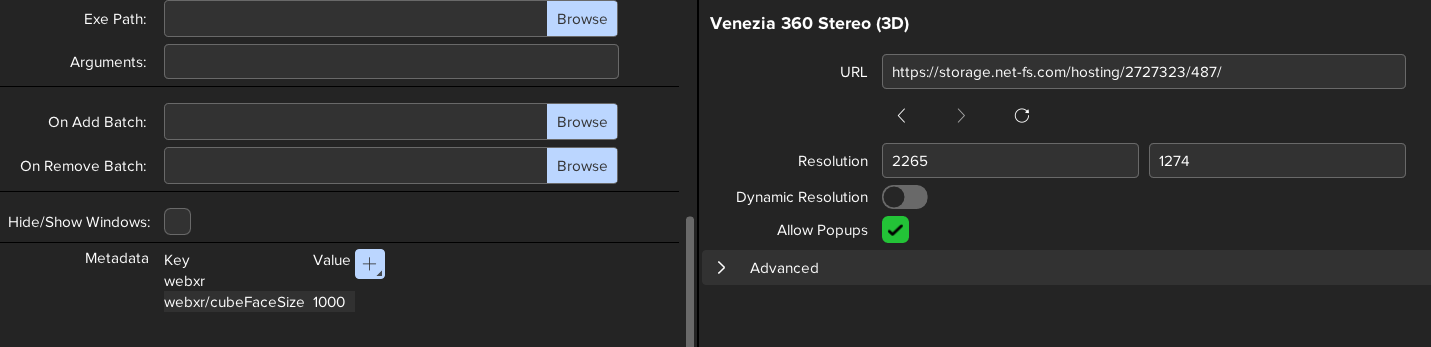
Create a WebView layer.
-
Allow popups in this layer.
-
Add the metadata keys:
-
webxr
-
webxr/cubeFaceSize - set this to an appropriate pixel resolution e.g. 1000, 1500 or 2000.
-
-
Paste the URL of your 3DVista virtual tour into the WebView URL.
-
TIP: this is a good point to save the WebView as a session.
-
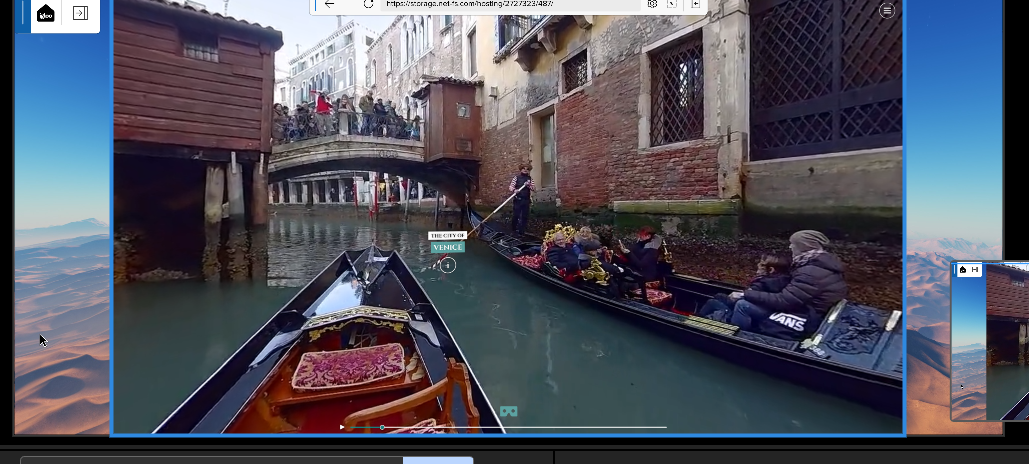
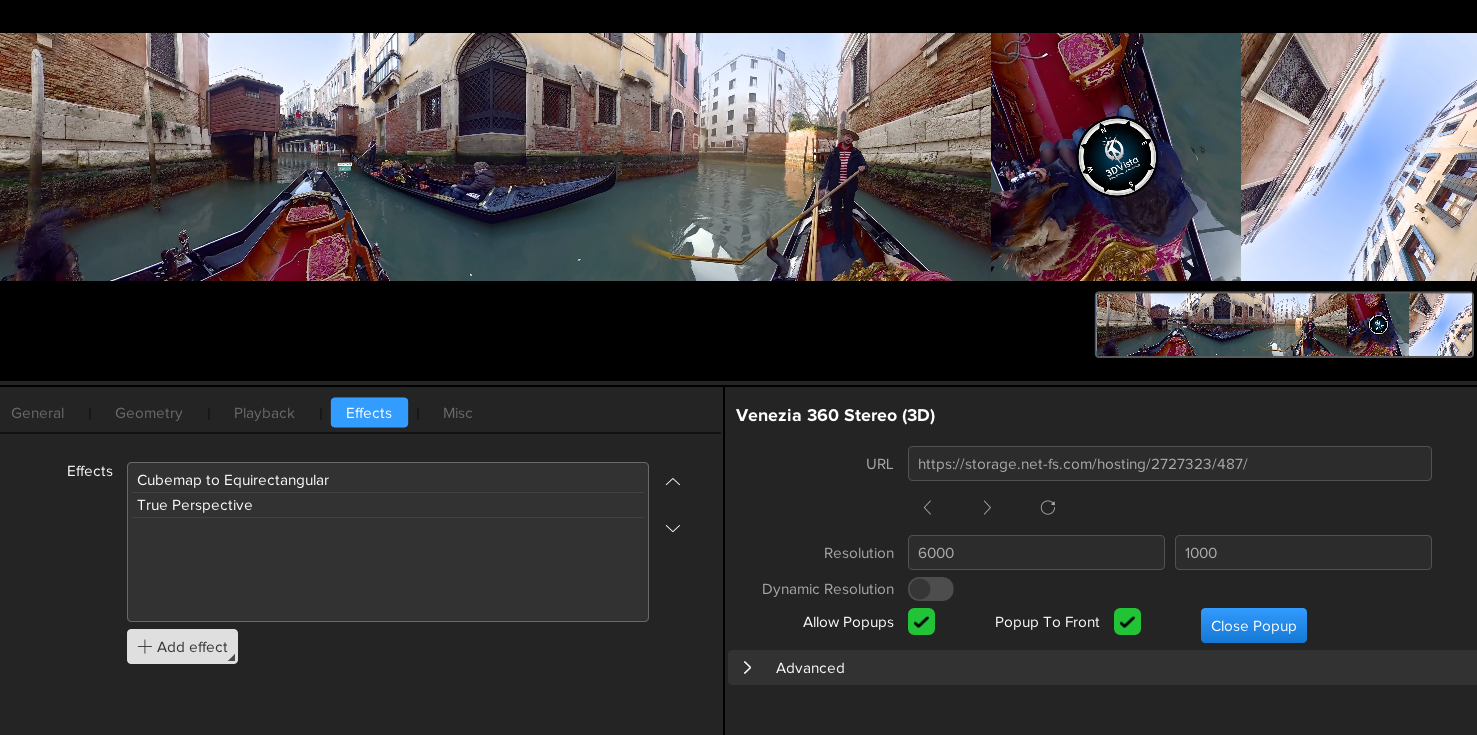
When the tour has loaded, click the VR button to activate the integration. The WebView layer will render the tour as a cubemap and the required effects will be automatically added (Cubemap to Equirectangular and TruePerspective).
Example Tours
The 3DVista team provide an excellent set of sample tours (https://www.3dvista.com/en/samples/).
Here are some selected ones which work with our integration:
Limitations
-
Virtual Tours built using earlier versions of 3DVista will not be compatible with this integration.
-
The position of popups may need to be adjusted in the tour so they appear in the desired location on the Igloo canvas.
WebXR metadata keys
Here is a list of the metadata keys which can be used with webxr compatible sites.
|
Key |
Default Value |
Description |
|---|---|---|
|
webxr |
|
Enables webxr integration. No value is required, just the metadata key. |
|
webxr/cubeFaceSize |
1000 |
Pixel size of each cubemap face. A value of 1000 will give a cubemap of 6000px x 1000px. |
|
webxr/customCullingCameraPosition |
1000,1000,1000 |
Comma-separated x,y,z position of camera. This camera position is required to prevent culling of objects in the scene but can also affect the size of hotspots and popups. |
|
|
|
|
I have an Issue!
For issues with the 3DVista integration, please contact myadvocate@igloovision.com or use the help desk. A ticket will be generated for you, and an appropriate member of our tech support team will contact you as soon as possible to assist you with your problem.