
Welcome to Igloo Vision, we are the Immersive Space company!
Immersive Spaces and the Canvas
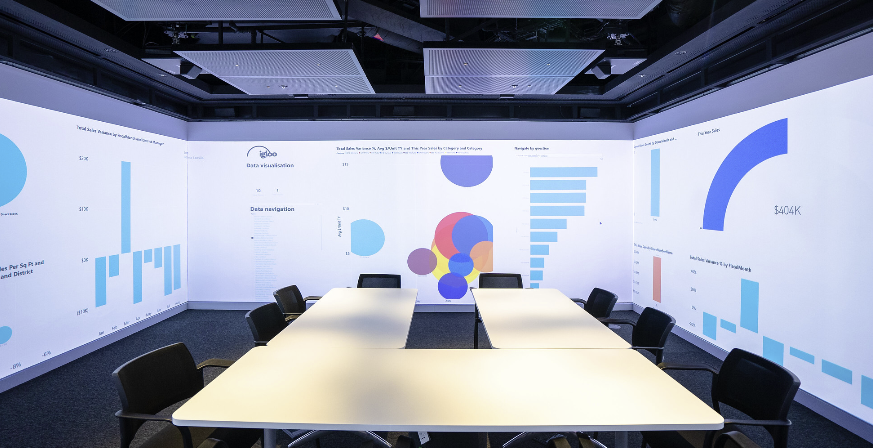
An Igloo Immersive Space is a physical environment where walls, floors, or ceilings act as a continuous display surface. Multiple projectors are arranged to cover this surface.
Each projector’s output is Warped and Blended to form a single seamless image. In the Igloo Core Engine, this unified display surface is referred to as the Canvas.
The Canvas represents the full resolution and geometry of the immersive space. All visual content is rendered onto the Canvas.
Layers
A Layer is a single piece of content rendered onto the Canvas.
Examples include:
-
Images and Videos
-
PDFs and Web content
-
3D Models
-
Live inputs (NDI, AppView, Capture devices, etc.)
Each layer has its own properties such as position, scale, and behaviour. Multiple layers can be active at the same time and can be freely arranged and combined.
Layers are the fundamental building blocks of all content shown in an Igloo.
The full list of supported Layer types can be found in the reference guide section Layers
Sessions
A Session is a content container made up of one or more layers.
Sessions are what users typically think of as an “experience”:
-
A meeting setup
-
A presentation
-
A demo or walkthrough
-
A predefined content layout
Sessions are stored in the Library and are commonly launched via:
-
The Session Library
-
The Home Screen
-
Launchpad
When a session is launched, its layers are created and added to the active workspace
Key characteristics of sessions:
-
They define which layers should exist and how they are configured
-
They are reusable and portable
-
They do not contain system-level settings
In short, a session answers the question: “What content should be shown?”
Workspaces
A Workspace represents the overall system state
A workspace contains:
-
System and environment settings
-
A Home Screen (optionally)
-
Canvas configuration
-
Pinned layers
The workspace exists independently of any session and remains active as sessions are launched, replaced, or cleared.
Key characteristics of workspaces:
-
They define how the system is set up
-
They persist beyond individual sessions
-
They can include layers that are not part of any session
In short, a workspace answers the question: “What environment is this content running in?”
How Sessions and Workspaces Work Together
-
Sessions provide sets of layers that users launch and switch between
-
Workspaces provide the persistent environment those sessions run within
For example:
-
A workspace may define the canvas, system configuration, and home screen
-
Different sessions can be launched into that same workspace throughout the day
-
Certain layers (such as a background, branding, or Video Conferencing) may persist regardless of which session is active
True Perspective
Many immersive experiences rely on 360 content (equirectangular or cubemap). In a flat display, this content is typically viewed by rotating a virtual camera. In an immersive space, this alone is not sufficient.
True Perspective is a core system in Igloo Core Engine that extracts a correct perspective view from 360 content, based on the geometry of the Igloo and the viewer’s position in the space.
Key points:
-
True Perspective runs in real time (no offline re-rendering).
-
It allows 360 content to be used out of the box on curved or multi-wall displays.
-
The viewing position (Head Position) can be adjusted dynamically
-
This enables content to adapt dynamically to different viewing locations.
True Perspective is typically applied as an effect on a layer
For full details on configuration and usage, see True Perspective and Desktop UI - Handling 360-Degree Content
Summary
-
Canvas – The virtual representation of the physical display surface
-
Layer – A single piece of content drawn onto the Canvas
-
Session – A reusable container of layers, launched together
-
Workspace – The persistent system environment that sessions run inside
-
True Perspective – The system that makes 360 content appear correct within an immersive space