
A Composition allows multiple sources to be grouped together to form a single Layer.
Setup
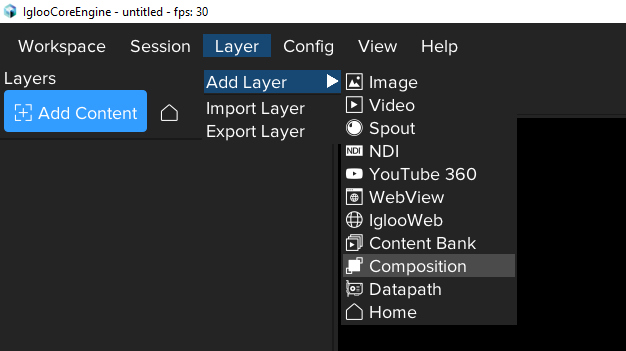
Add Composition Layer
Composition Settings
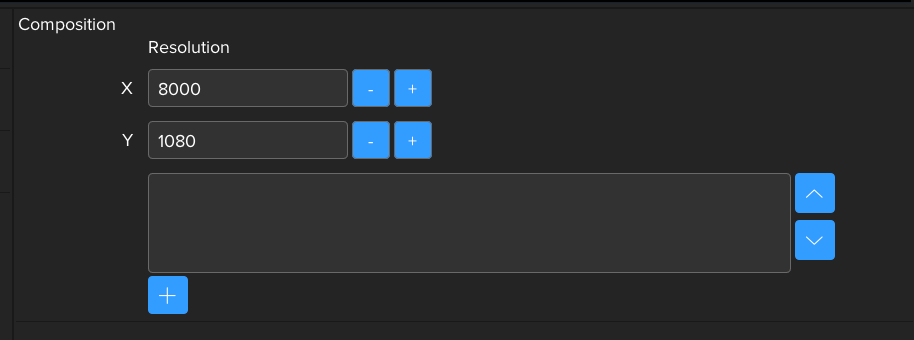
The resolution of a new composition will match the Workspace canvas by default; however, the resolution can be adjusted as required.
Sources can be added, arranged and removed within from source list view.
Add Source
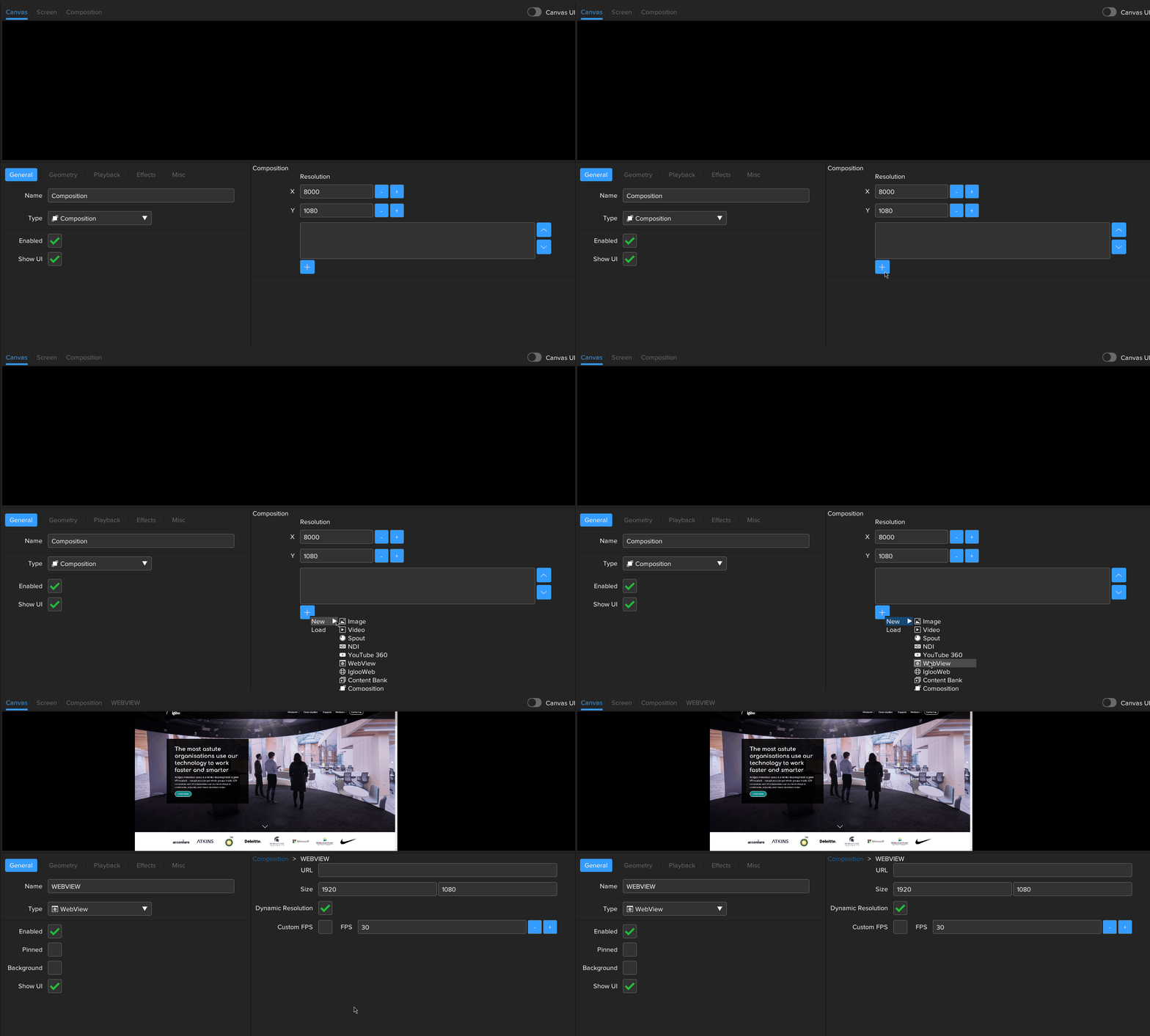
Use the + button to add a source to the composition.
A new source can be created, or an existing source can be added from the load menu.
Remove Source
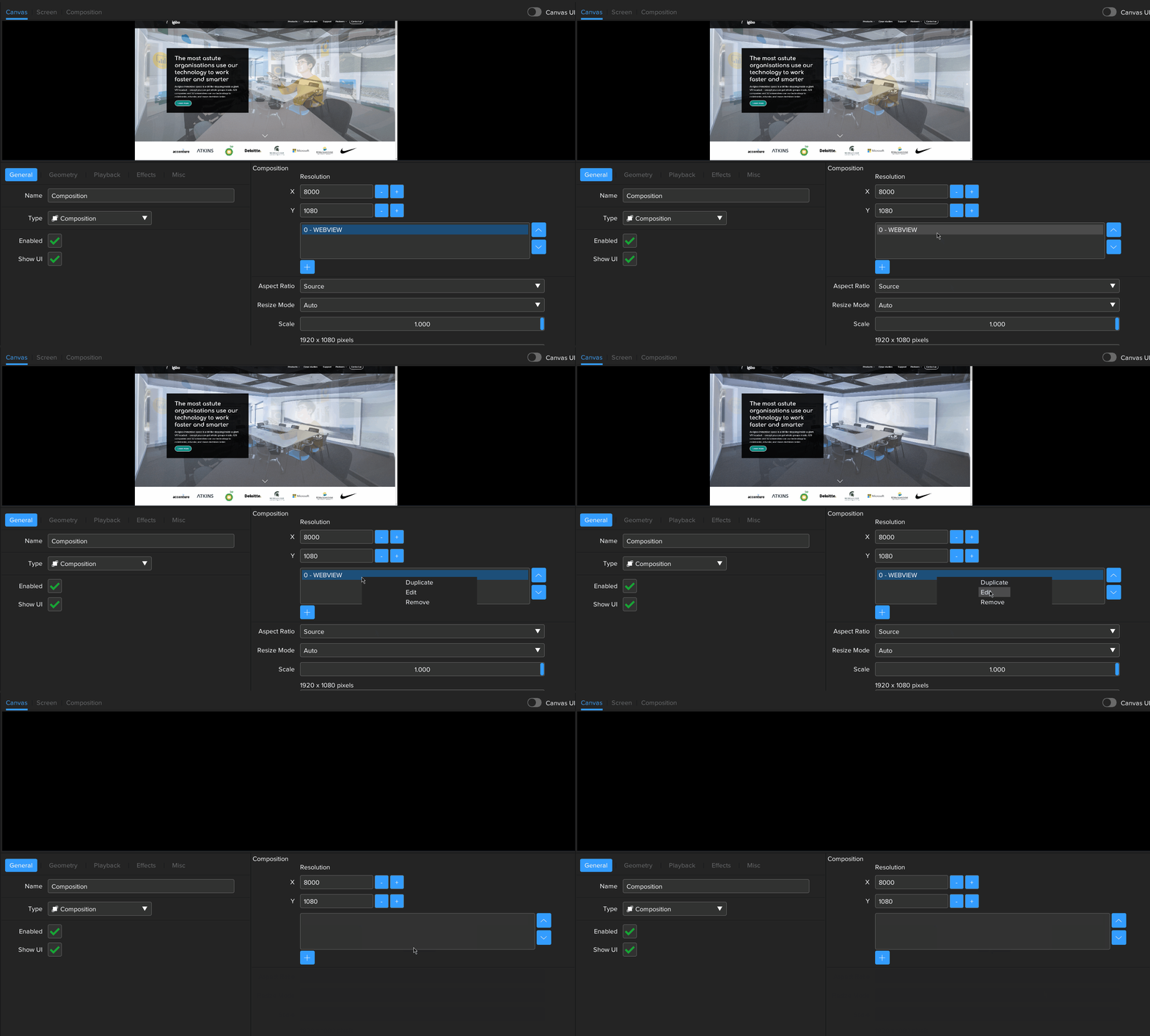
To remove a source, right click it within the source list and select Remove
Edit Source
To edit a source, right click it within the source list and select Edit
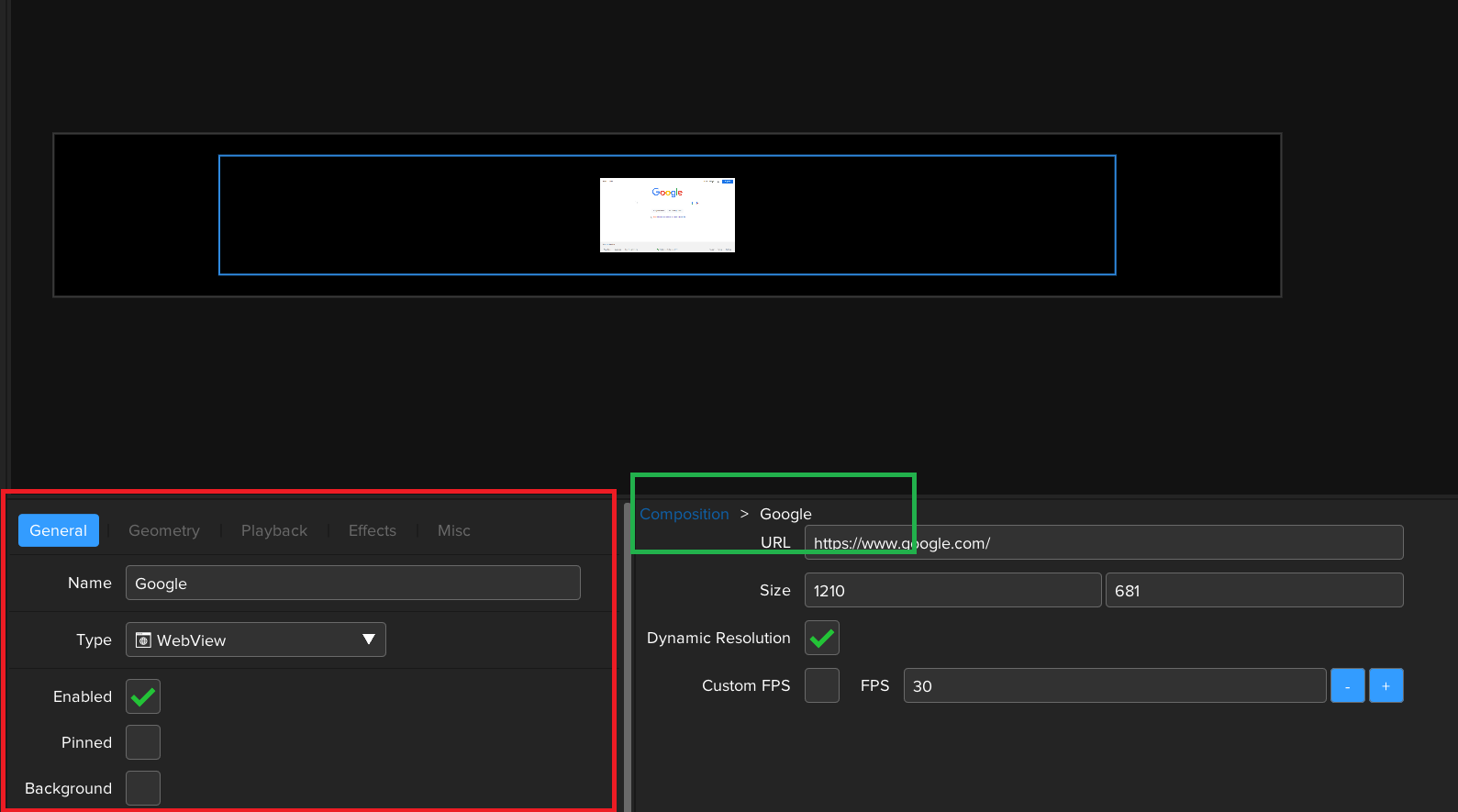
Igloo Core Engine uses a breadcrumb trail system, shown in green below, to identify which Source within the Composition is currently selected for editing. The Layer settings panel, shown in red can then modify the settings for the currently selected Source
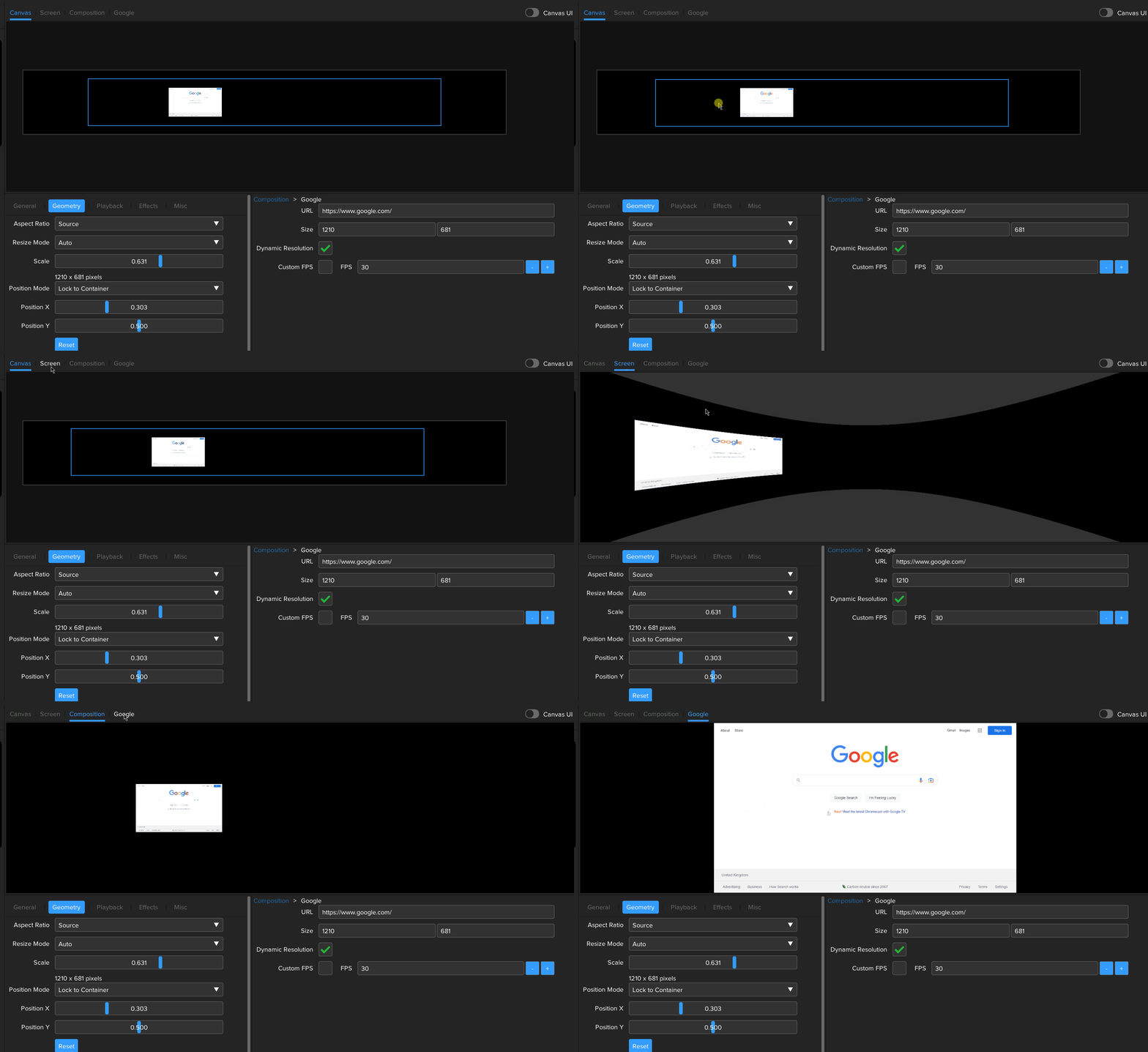
The view tabs can be used to select between the available previews.
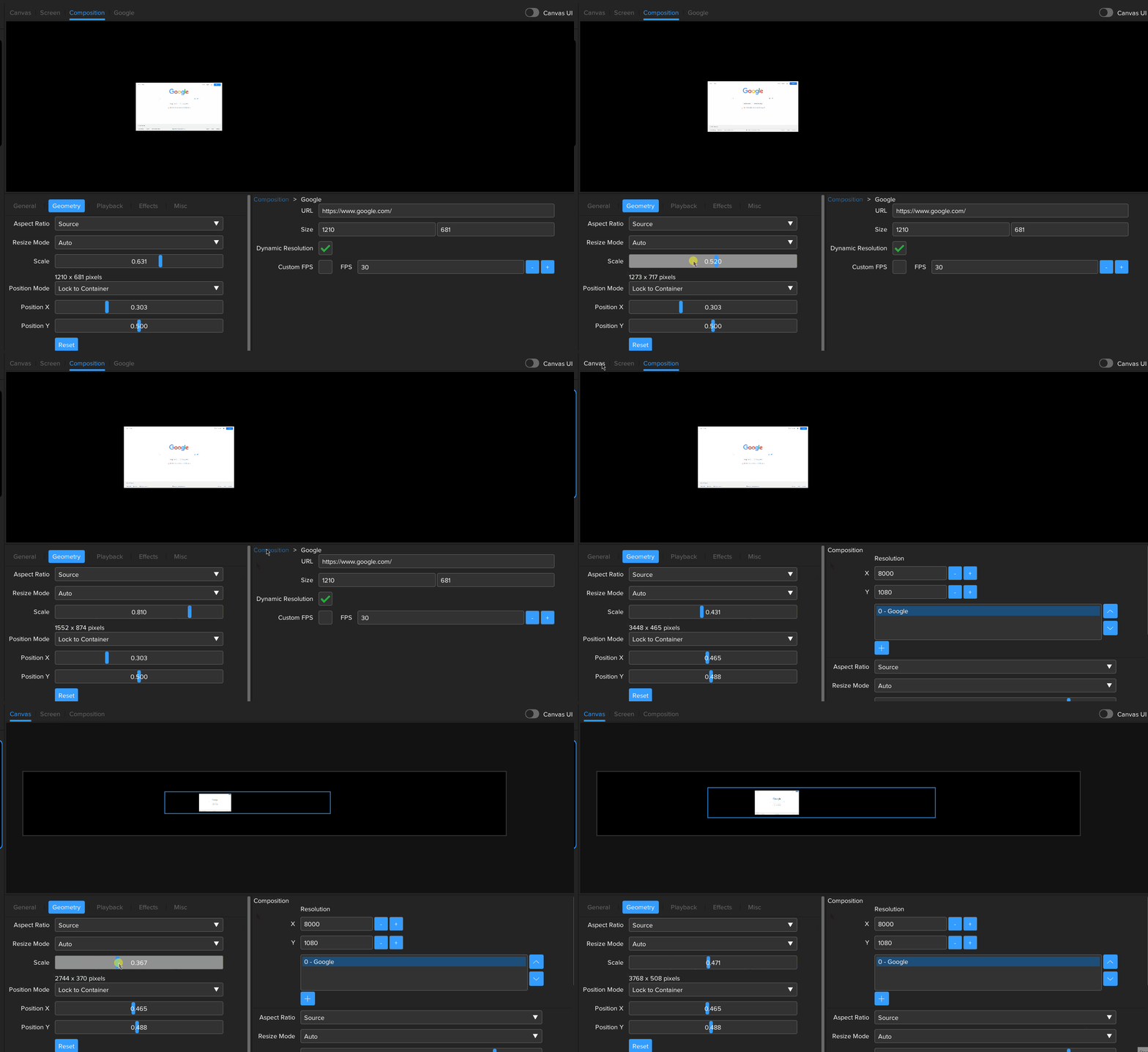
Use the breadcrumb to return to the composition layer
Use cases
TODO - cubemap , overlays , game engine