
This page outlines a number of key user interface and workflow changes to be aware of when updating from Igloo Core Engine 1.5 to 2.0.
For a complete list of changes, please refer to the full release notes here - 2.0.x
We have also updated our set of introductory tutorial videos which you can find here:
-
Igloo Core Engine - Desktop UI
-
Igloo Control Panel - Control Panel UI
Igloo Core Engine
The Desktop UI has received significant updates and refinements. While the overall layout remains familiar, a number of visual, usability, and organisational improvements have been made.
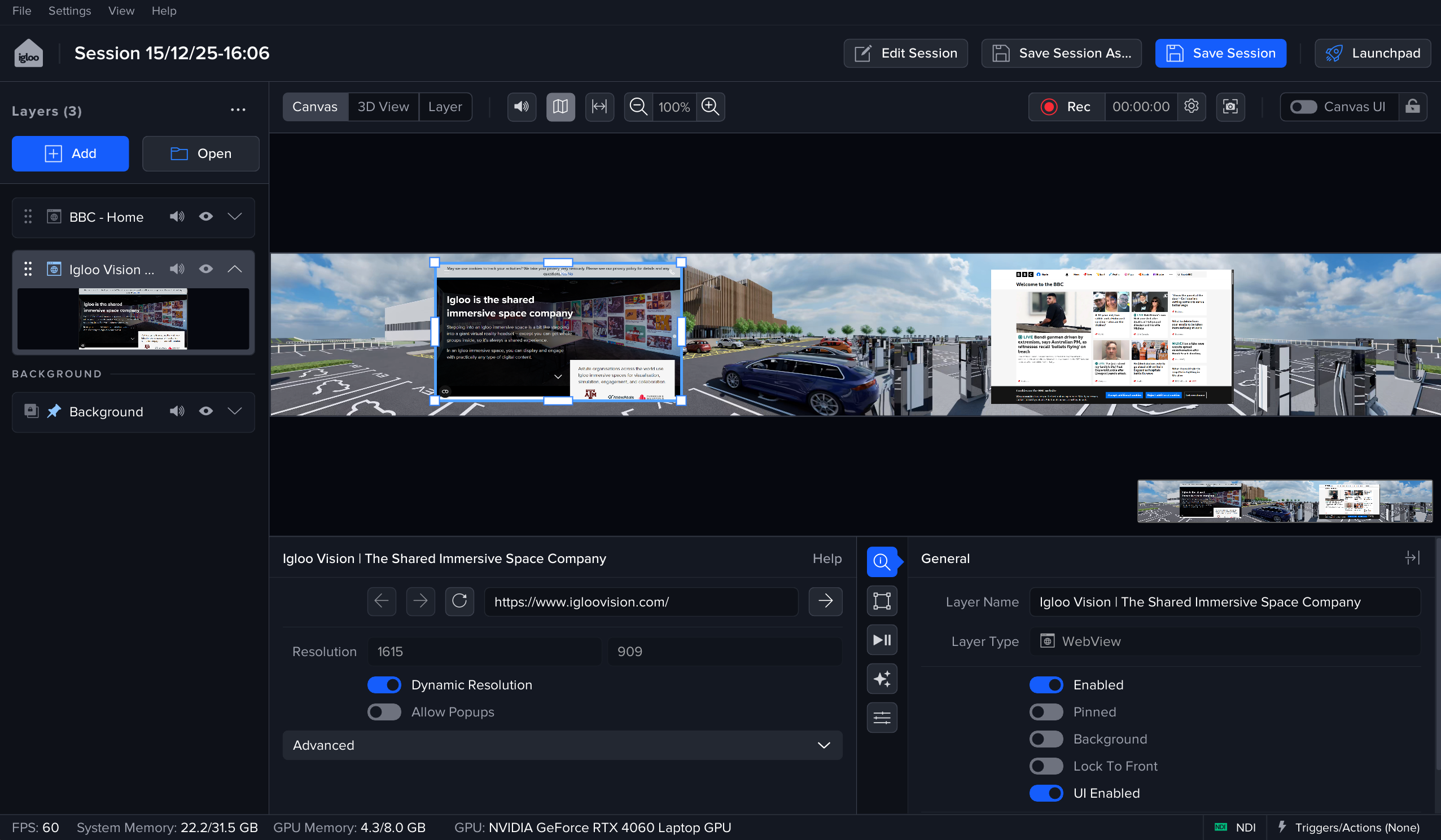
Key changes include:
-
Updated colour scheme and overall styling
-
The Contextual and Generic layer property panel ordering has been switched
-
Dedicated Session Toolbar
-
Drag drop reordering of layers
-
Collapsible layers
-
Light and Dark mode support
-
Status Bar (View > Status Bar to show / hide) which includes
-
System utilisation information
-
NDI management visibility
-
Triggers & Actions status feedback
-
For a high-level overview of the updated Desktop UI see:
Desktop UI Overview
Tutorial videos covering the changes in more detail are available here:
Desktop UI
Igloo Control Panel 2.0
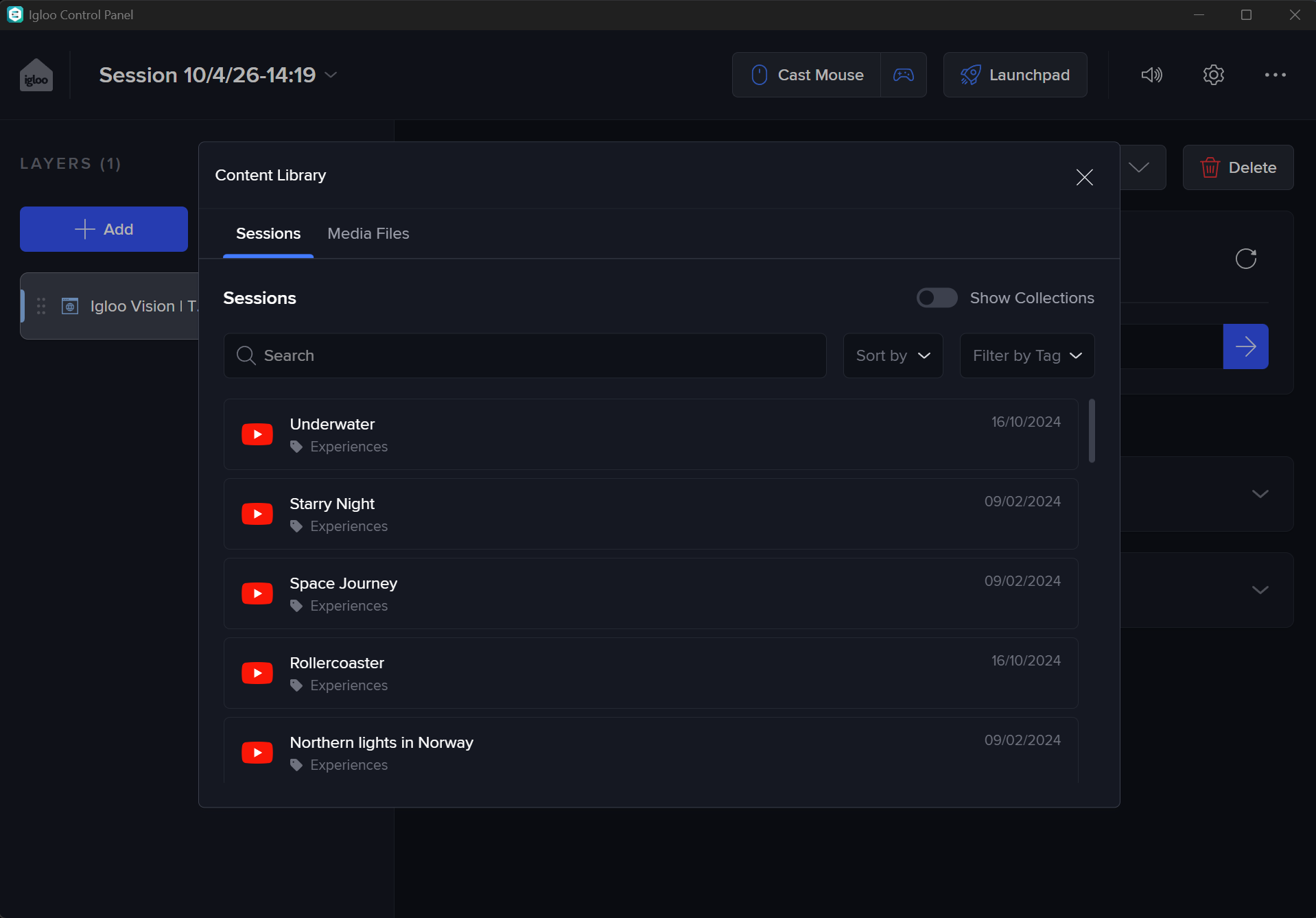
Igloo Control Panel 2.0 is a completely rebuilt application, designed to align with Igloo Core Engine 2.0 and modern workflows.
While it retains core functionality such as casting, layer control, and session management, it introduces a new unified interface, improved responsiveness, and streamlined workflows across desktop, tablet, and mobile devices.
For a high-level overview of the updated Control Panel UI see:
Tutorial videos covering the changes in more detail are available here:
Control Panel UI
Key Features
Connecting & System Switching
-
Quickly switch between multiple systems within the same interface
Casting
-
Control content from from your device
-
Supports common workflows previously split across multiple tabs/pages
Launchpad Integration
-
Access and trigger Launchpad tiles directly from Control Panel
-
Designed for simple operator and kiosk-style control
Session Management
-
Save, load, and edit sessions directly from the Control Panel
Layer Control
-
View and control active layers within a session
-
Adjust visibility, ordering, and key properties
-
Fully usable on mobile devices
New File Upload Process (Media Library)
-
Upload files directly from your device to the media server
-
Integrated into the Media Library UI
-
Replaces the file drop app
Apps
-
HTTPS is now required for Apps to function within the Control Panel
-
Unsupported apps can be opened externally in a browser
Blocks & Configuration
-
Modular UI built around reusable “blocks”
-
Enables user configuration for what is displayed within the control panel UI for layers
UI & Workflow Improvements
-
Completely new application structure
Replaces the previous tab-based layout (Key + Mouse, Layers, Apps) with a unified, streamlined interface -
Single URL access
All functionality is now accessible via one URL, simplifying access and allowing use directly in a browser
(Help → Control Panel → Open in Browser) -
Responsive design
Improved support across mobile, tablet, and desktop devices -
Light and Dark modes
-
Improved navigation and usability
Faster access to core functionality with reduced context switching
New Applications & Installers
These can all be access from within Igloo Core Engine following installation of 2.0 via Help > Igloo > Control Panel > Get App
-
iOS / Android
Available as Igloo Control Panel 2.0 on the App Store and Google Play -
Desktop (Windows)
New standalone installer which is installed to a new path in window:
C:\Program Files\Igloo Vision\IglooControlPanel
Backwards Compatibility
To support a smooth transition:
-
Previous Control Panel versions remain compatible with Igloo Core Engine 2.0
We strongly recommend upgrading to Control Panel 2.0 for the best experience and full feature support, but this approach allows flexibility during the transition period.
New UI Systems You’ll Notice
Several new UI driven systems have been introduced in 2.0 and may be immediately visible when upgrading.
Launchpad (New)
A tile-based system for managing, displaying, and launching Sessions and Triggers.
Launchpad is designed for operator-friendly and kiosk-style workflows.
Session Collections (New)
A new way to organise and browse sessions, used across the Desktop UI and Media Library.
Sessions can be grouped into collections and sorted by when they were last loaded.