
A quick launch system for managing, displaying, and triggering a customisable grid of tiles. Tiles can be used to open Sessions or activate Triggers.
In addition, custom Control Panel behaviour can be configured to streamline and simplify the user experience.
Open Launchpad
-
In the main Toolbar, click Launchpad.
-
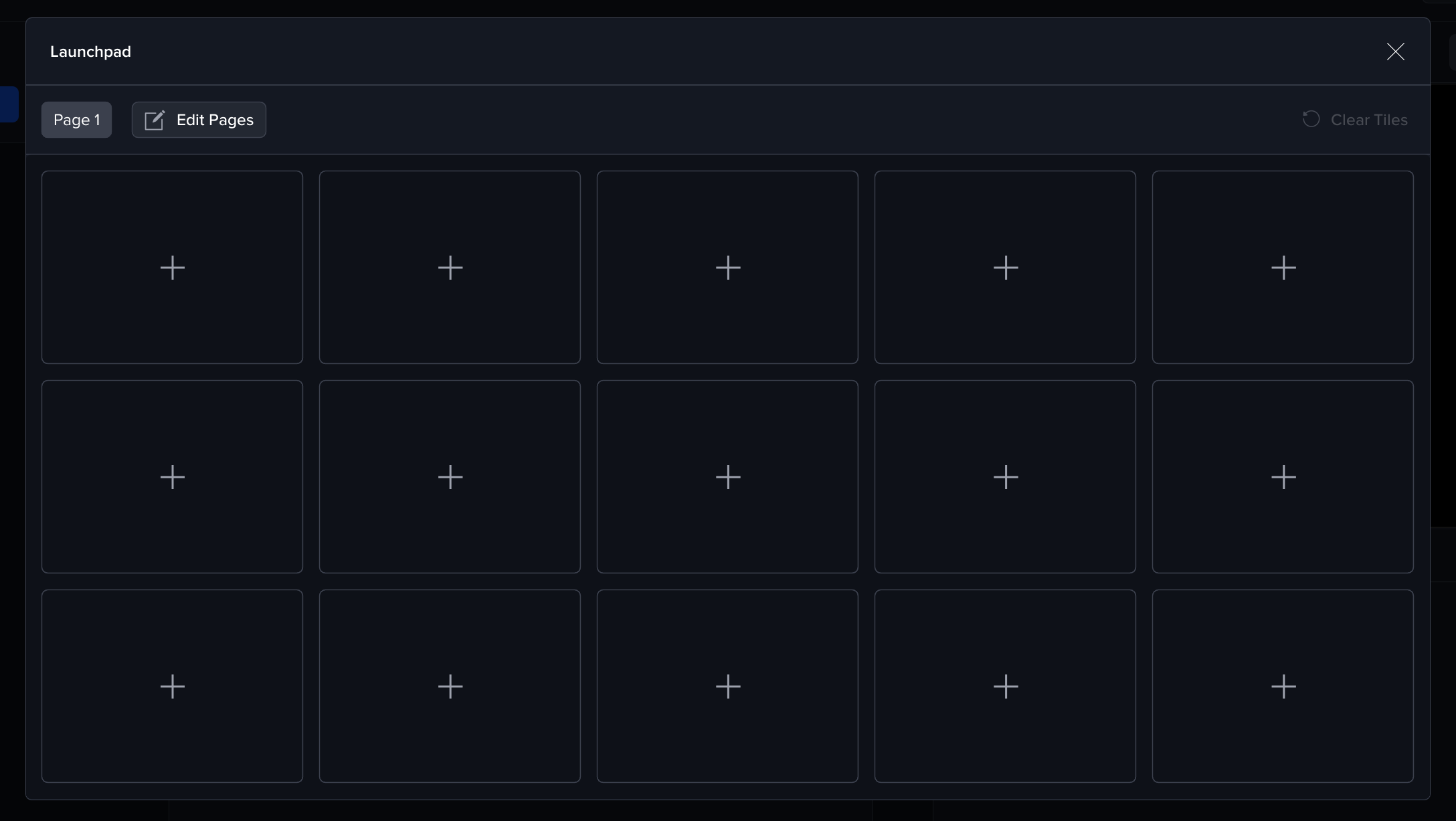
The Launchpad opens full-screen with a paged grid of empty tiles.
Concepts
Pages
-
A Launchpad can contain multiple pages.
-
Each page has a Row x Column layout that defines how many tiles it can show.
Tiles
-
Each tile has a Tile Type (e.g., Session / Trigger).
-
Tiles can define Control Panel Behaviour that runs after the tile is activated
Creating a Tile
-
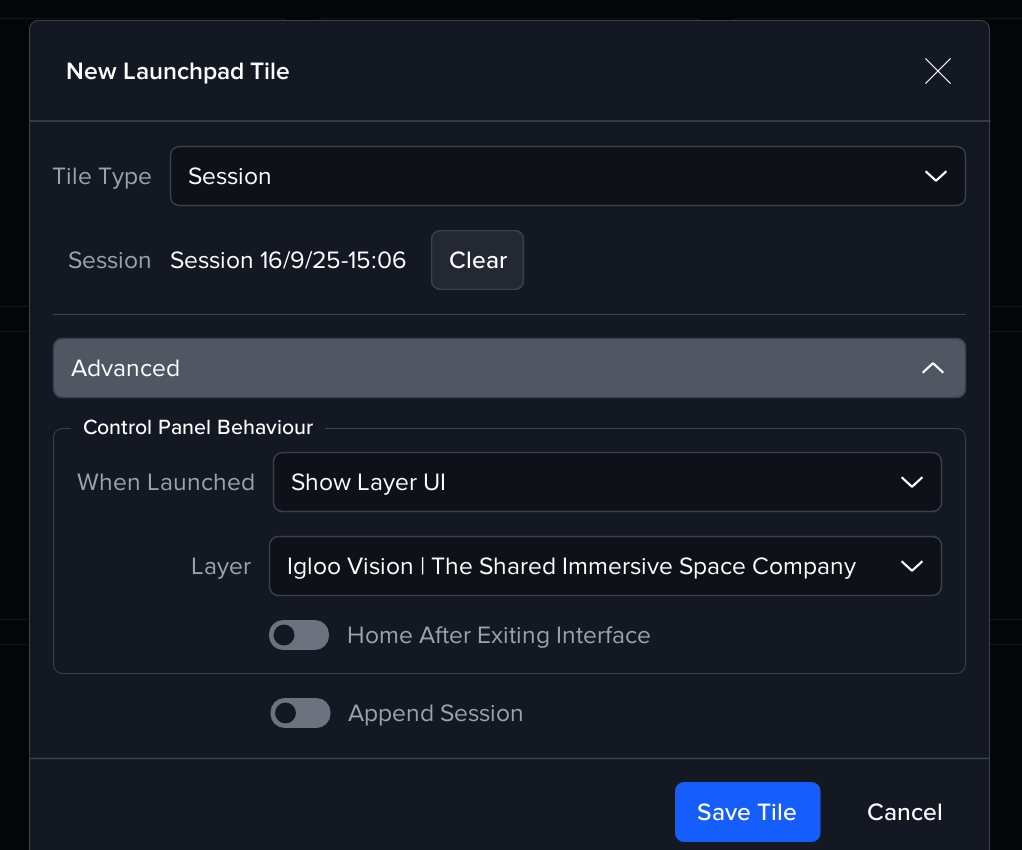
Click + on an empty tile.
-
Tile Type: choose the type of tile to create.
-
Session - loads a saved Session
-
Trigger - activates a 'Triggers & Action' Trigger Triggers & Actions
-
-
Session: click Browse and pick the Session file.
-
Expand Advanced to configure Control Panel behaviour (see below).
-
(Optional) Append Session – when enabled, the Session is appended to the current one instead of replacing it.
-
Trigger: click Browse and pick a Workspace or Global Trigger. Note that only “Tile” and “URI message” triggers are available for the Launchpad.
-
Click Save Tile
Session Metadata
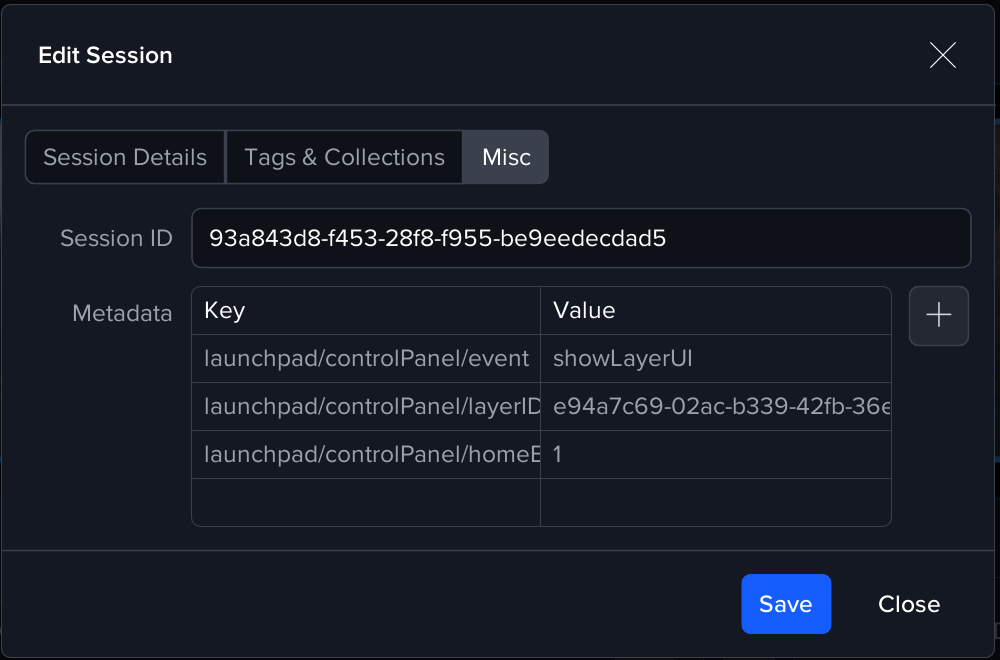
You can add metadata to a Session so Launchpad tiles are pre filled when that Session is chosen
Edit the Session > Misc > Metadata and add keys
Control Panel Behaviour (Advanced)
Determines what the Control Panel shows immediately after the tile action completes.
-
None
Do not change the Control Panel; leave it where it is. -
Back to Layer List
After launching, return to the list of Layers. -
Show Layer UI
Open the UI for a specific Layer straight away.-
Layer: choose which Layer to open (from the launched/target Session).
-
Home After Exiting Interface (toggle): when enabled, leaving the Layer’s UI returns Igloo Core Engine to the Home Layer.
-
Show Layer UI is ideal for creating a kiosk style experience with Control Panel
Managing Pages
-
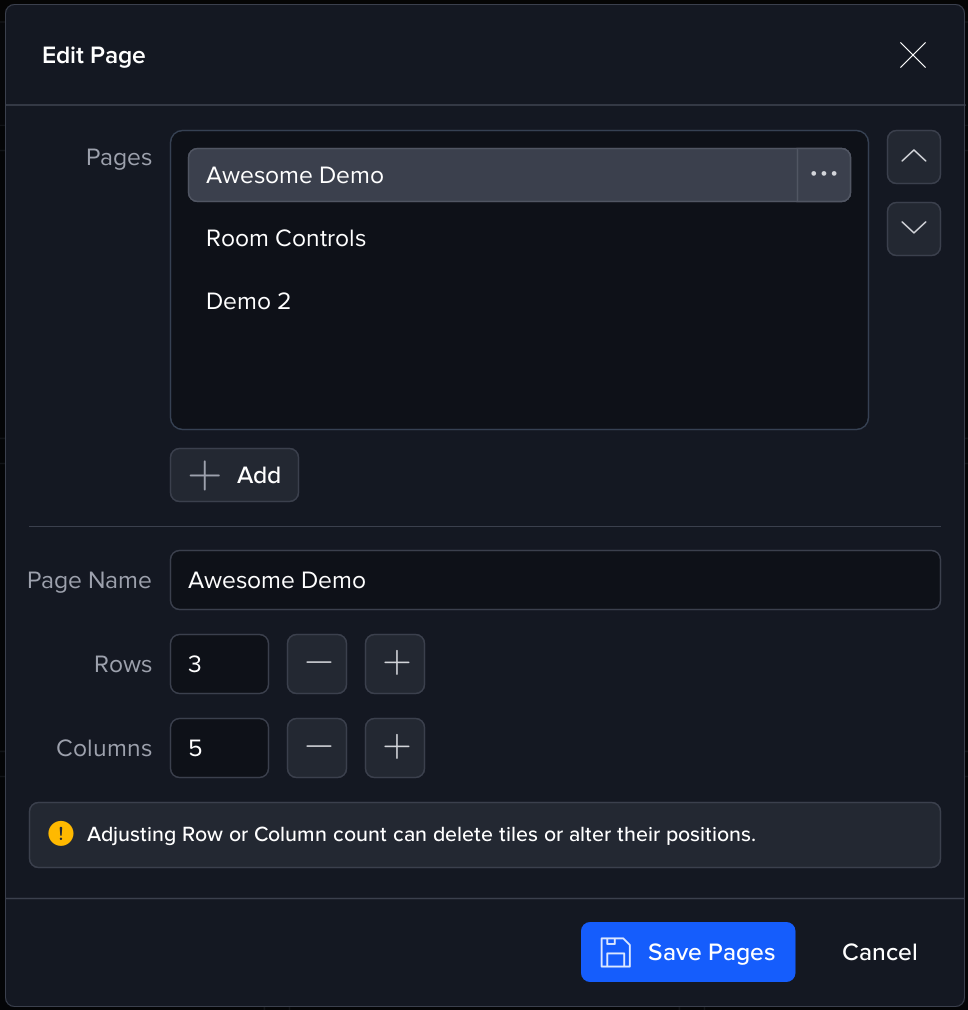
In Launchpad, click Edit Pages
-
In Pages, you can:
-
Add a new page
-
Rename a page
-
Reorder pages
-
Adjust Rows and Columns for the selected page.
-