
The Triggers and Actions system enables users and integrators to create dynamic, interactive experiences in Igloo Core Engine. A Trigger listens for an event, and when that event occurs, it executes one or more Actions.
Triggers and Actions can be configured at different scopes, allowing behaviour to be defined globally, per workspace, or per session.
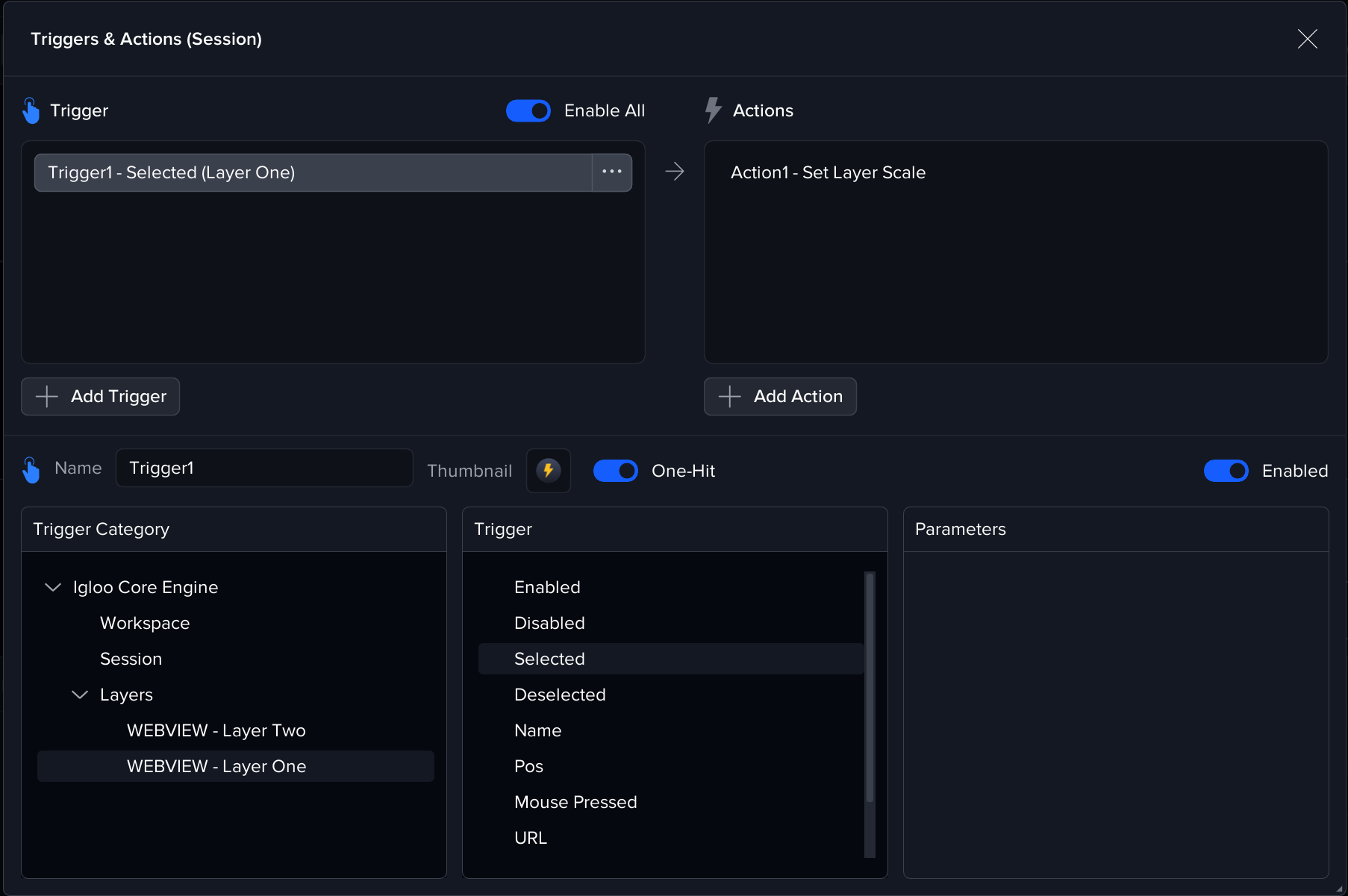
Scope & Activation
Triggers are organised by scope, which defines where and when they are active.
Global
Active across the entire application.
-
Loaded: On application start
-
Active: For the full runtime
-
Use case: Core behaviours and always-on functionality
Workspace
Specific to an individual workspace.
-
Loaded: When a workspace is opened
-
Active: While that workspace is in use
-
Removed: When switching workspaces
-
Use case: Environment-specific logic
Session
Specific to an individual session.
-
Loaded: When a session is started
-
Active: Only for that session
-
Removed: When the session is cleared or replaced
-
Use case: Temporary, scenario-based behaviours
Triggers
A Trigger defines the event that starts a set of actions.
When the selected event occurs, and any configured conditions are met, the trigger fires and executes its linked Action(s).
Triggers are created by selecting:
-
A Trigger Category (what system or layer the event belongs to)
-
A specific Trigger (the event itself)
-
Optional Parameters (conditions that control when it fires)
Triggers can respond to changes in:
-
Layer state (e.g. Selected, Enabled, URL changed)
-
Workspace or Session events
-
System-level or API messages
-
Other supported devices or integrations
API Message Trigger
A trigger can be configured to respond to an incoming Igloo Core Engine API message.
This allows external systems to initiate Actions inside Igloo Core Engine.
Setup
-
In Trigger Category, select Igloo Core Engine.
-
Choose the URI Message trigger.
-
Set the Trigger Name parameter - a custom name that must match the incoming API request.
Example: ta/trigger?triggerName=example.
See Igloo Core Engine API for information on the Igloo Core Engine API
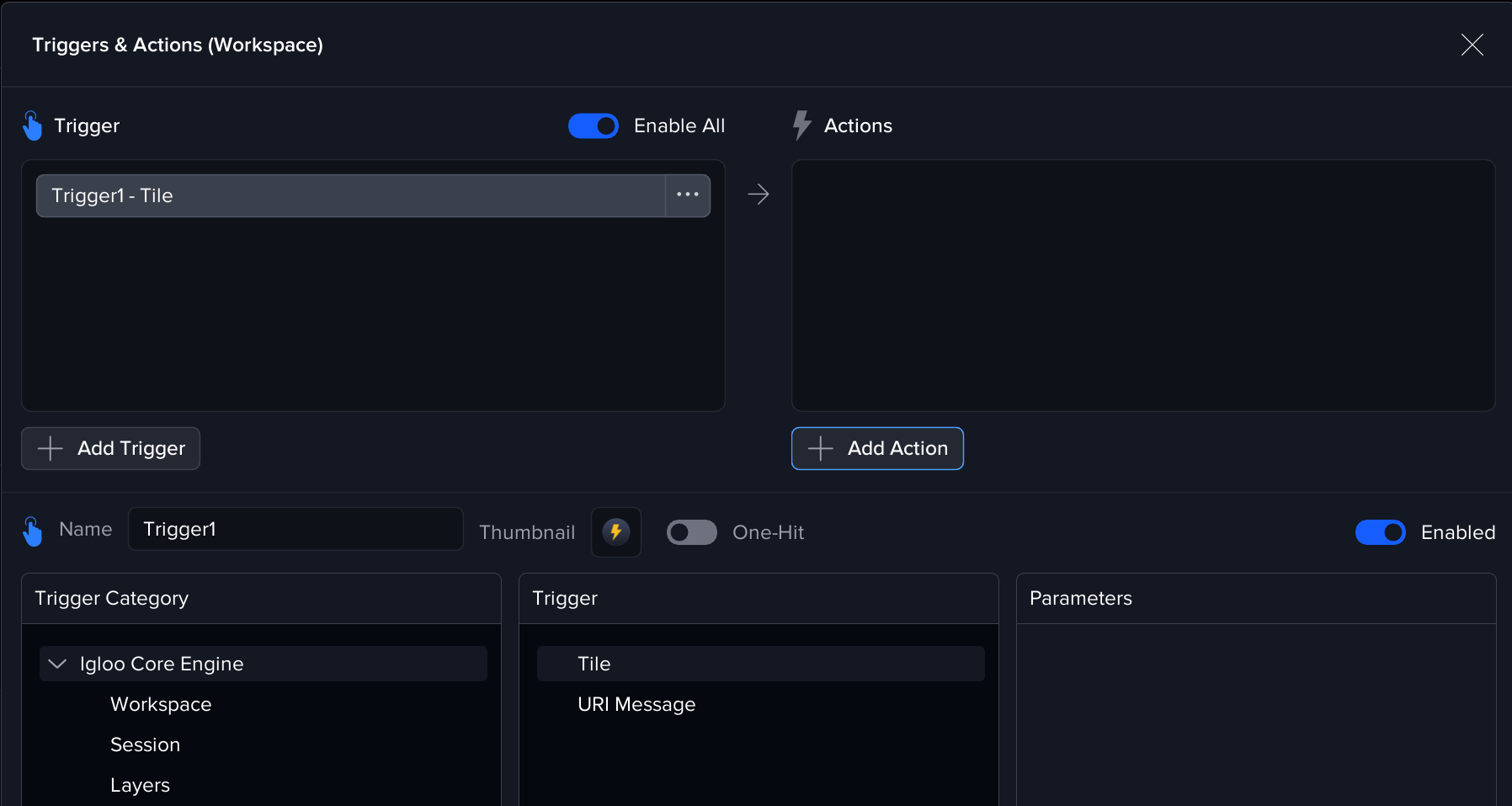
Tile Trigger
A trigger can be configured to respond when a tile is clicked in the Launchpad or Home layer.
This provides a simple way to initiate Actions when users interact with tiles in the interface.
Setup
-
In Trigger Category, select Igloo Core Engine.
-
Choose the Tile trigger.
-
No additional parameters are required.
Usage
Once configured, this trigger will fire when:
-
A tile in the Launchpad is clicked
-
A tile in a Home layer is clicked
The trigger is automatically associated with the tile through the trigger's unique identifier - no manual configuration of trigger names is needed.
Notes
-
Tile triggers are multi-hit by default, meaning they can be triggered repeatedly by clicking the tile multiple times.
-
Tile triggers are only available in Global and Workspace Triggers & Actions (not Session-level).
-
When adding triggers to tiles via the Trigger Selector, only Tile and URI Message triggers are available.
-
Tile is the default for new triggers created in the Global and Workspace T&A manager
Actions
Actions are grouped by devices, with Igloo Core Engine itself serving as a device for internal system actions. Additionally, other devices will be added in future versions. For instructions on configuring specific devices, refer to the corresponding device page. Currently available devices include:
-
Igloo Core Engine - Device - Igloo Core Engine (Local)
-
DMX - Device - DMX
-
OSC - Device - OSC
-
PJLink - Device - PJLink
-
Igloo Core Engine (Remote Instance) - Device - Igloo Core Engine (Remote)