
Sessions can be loaded into a workspace from the Content Library accessible via (File > Open > Session), or the Load button in the Layer Panel.
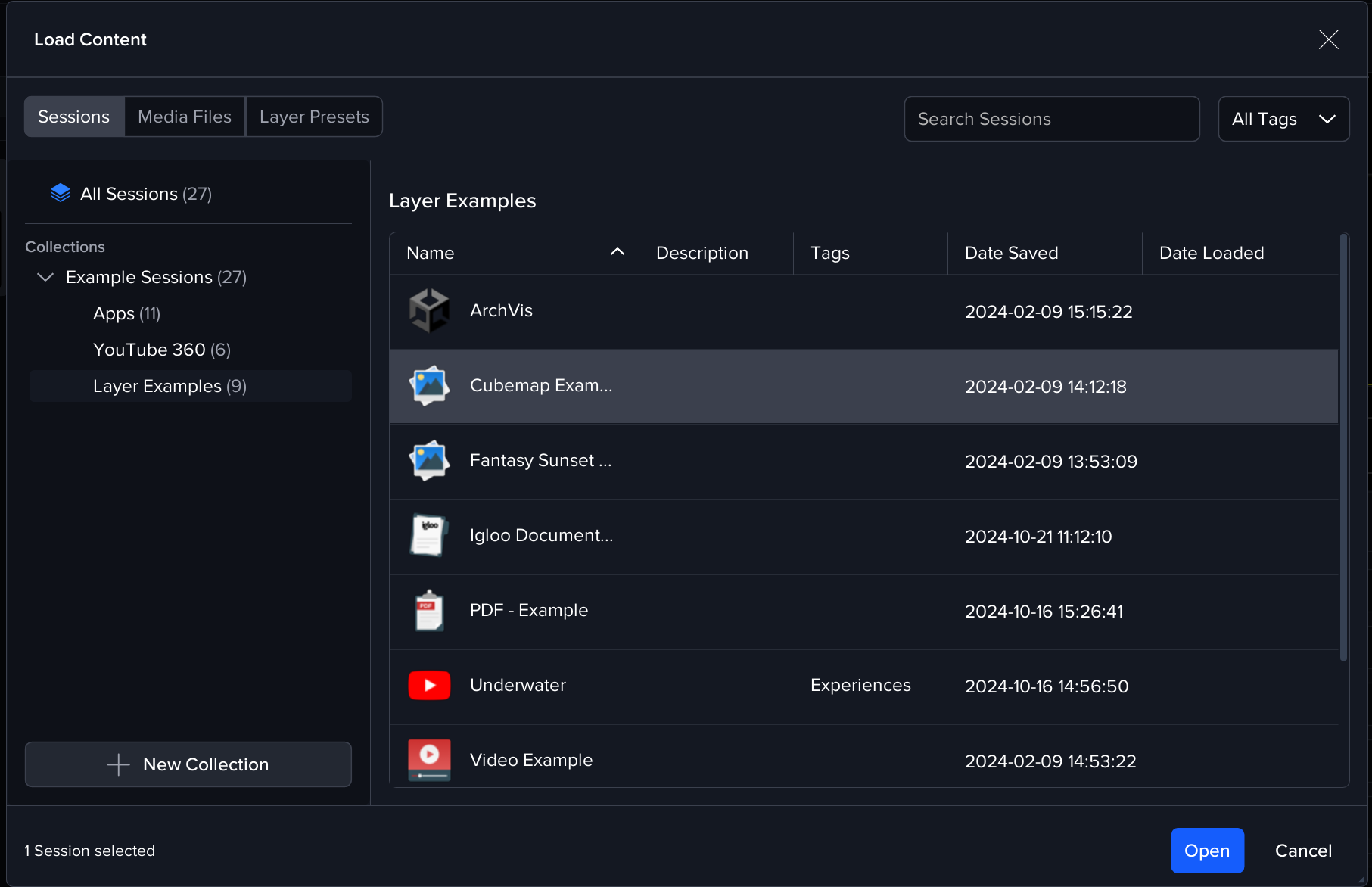
Select a session then press the Open button (or double click the sessions) to load it. When a session is loaded, all the layers contained within it are added to your workspace.
Note: This action clears the current session if one is already active.
Appending a Session
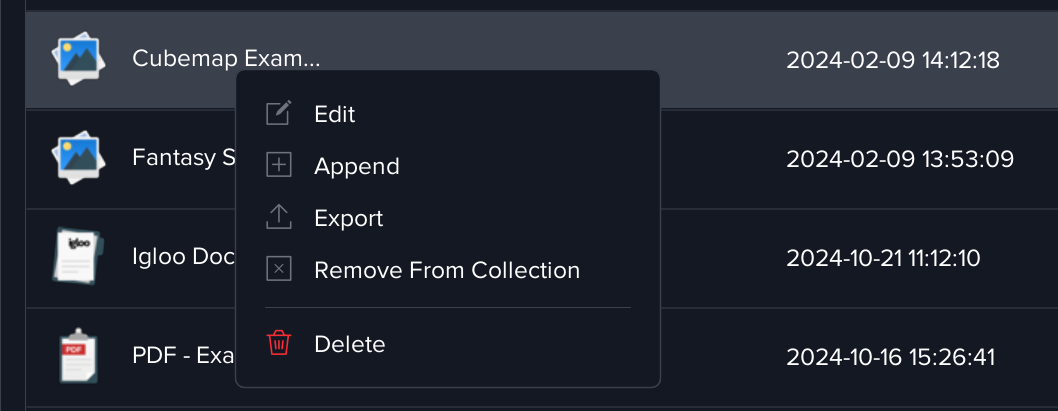
If you already have an active session in your workspace and wish to add more content without replacing it, you can use the Append Session option.
-
This option is available from the right-click context menu on a session.
-
It merges the layers from the selection session with your existing workspace, preserving all currently displayed layers.
Filtering Sessions by Tag
The session library supports filtering by tags, making it easier to locate specific sessions.
-
Use the Tag Filter dropdown to select a tag category (e.g., Experiences, Collaboration).
-
Selecting a tag will update the list to show only sessions associated with that tag.
-
Choose All Tags to view the full library.
Session Management
Right-clicking a session entry opens the Session Management menu, giving quick access to common actions:
-
Edit - Modify the session’s details such as name, description, or tags etc
-
Append - Add the session’s layers to your active workspace without replacing the current session
-
Export - Save a copy of the session externally for backup or sharing
-
Remove From Collection – Remove the session from the current collection (the session remains in the library)
-
Delete – Permanently delete the session from the library
Session Collections
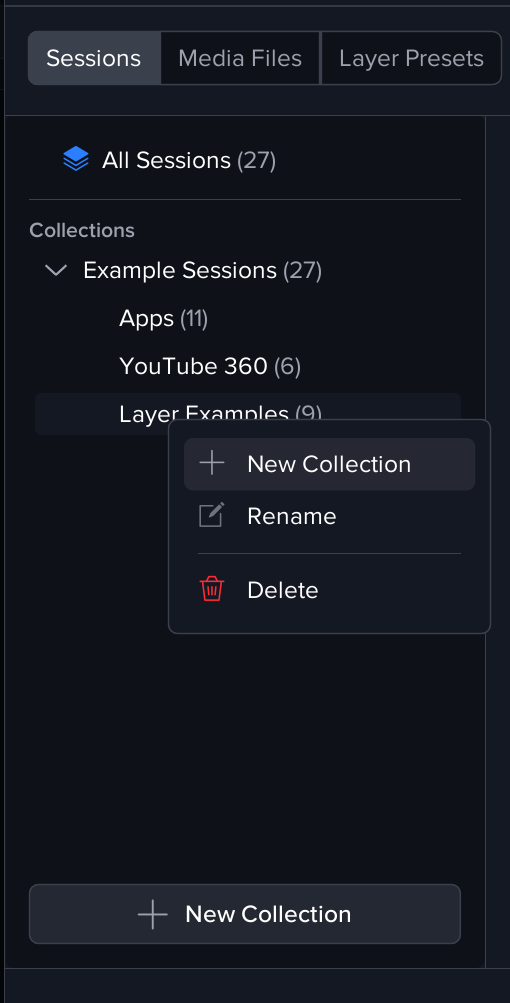
Sessions can be organised into Collections for easier browsing and management. Collections provide a flexible way to group related sessions without duplicating them.
-
Managing Collections
-
You can create, rename, or delete collections at any time.
-
Collections can be nested within each other to form hierarchies.
-
You can drag and drop collections to rearrange them under different parents.
-
-
Managing Sessions in a Collection
-
Drag and drop a session to add it to a collection
-
Collections act as non-destructive groupings, removing a session from a collection does not delete it from the library.
-
A session can belong to multiple collections simultaneously.
-