
The 3D Model layer in Igloo Core Engine is designed for viewing 3D objects rather than loading full 3D environments. It is ideal for showcasing smaller, optimised assets and supports camera controls, lighting adjustments, animation playback, and turntable style model rotation.
Recommendation: For best performance, we advise using models under 50MB. Very large assets may impact performance.
Supported File Types
3DS, DXF, GLTF, FBX, STL OBJ, SMD, GLB
GLB recommended if planning to export session to another system
User Interface Overview
Model Tab
-
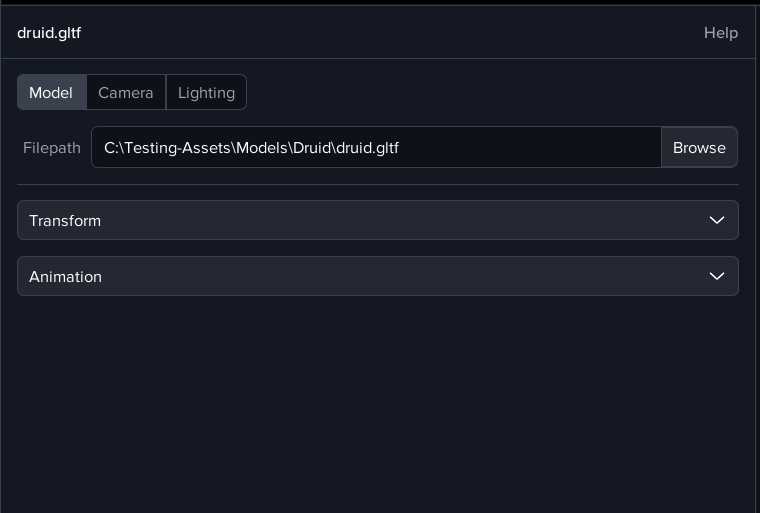
Filepath – Select your 3D model file from the local storage. Alternatively load already added models from the media library, or simply drag file in from windows explorer
-
Transform – Adjust the position, rotation, and scale of the model
-
Animation – Control playback of any animations embedded in the model
Camera Tab
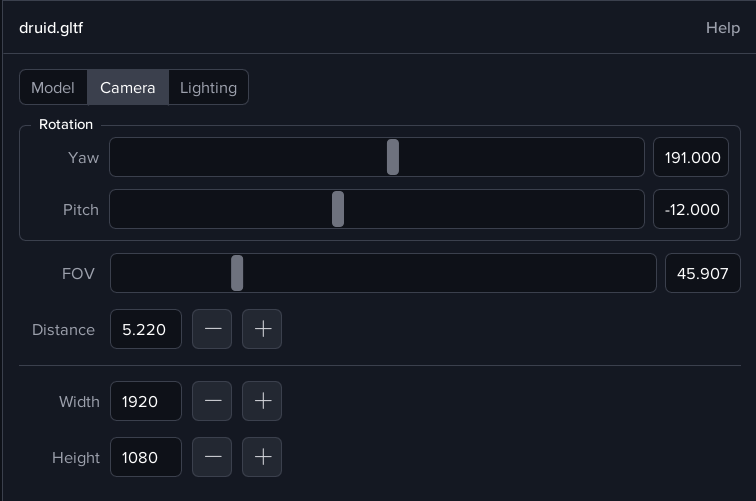
The 3D Model Layer uses an orbit camera, allowing you to rotate around the object and adjust framing.
-
Rotation Controls
-
Yaw - Rotate the camera horizontally around the model
-
Pitch - Tilt the camera up or down
-
-
Field of View (FOV) - Adjusts the viewing angle for a wider or narrower perspective
-
Distance - Controls how far the camera is from the model
-
Viewport Size – Set the output resolution for the model view
You can also use the mouse in Canvas UI mode to control the camera. Drag to rotate and scroll to zoom.
Lighting Tab
-
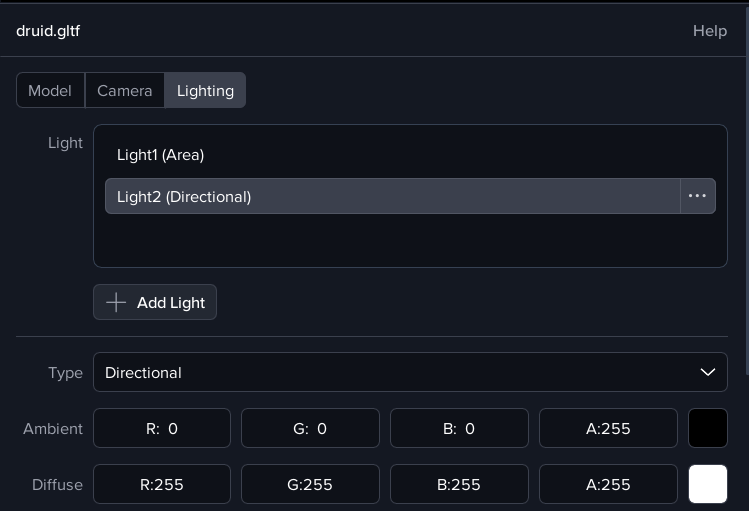
Add Light – Add multiple light sources for better model highlighting.
-
Light Types
-
Directional - Parallel rays, similar to sunlight
-
Point - Emits light in all directions from a single point
-
Area - Soft, diffused lighting for more natural shading
-
-
Colour Controls
-
Ambient - Base lighting applied to the entire model
-
Diffuse - Direct light colour and intensity
-
Specular - Highlights and reflections
-
-
Light Rotation - Adjust yaw and pitch to control light direction
Animations
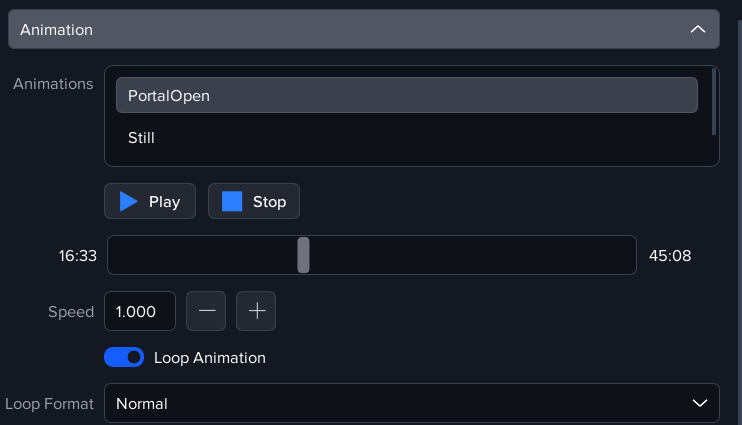
If your model contains embedded animations, the Animation section panel lets you:
-
Play / Pause animations
-
Scrub through keyframes
-
Loop modes
Turntable Rotation
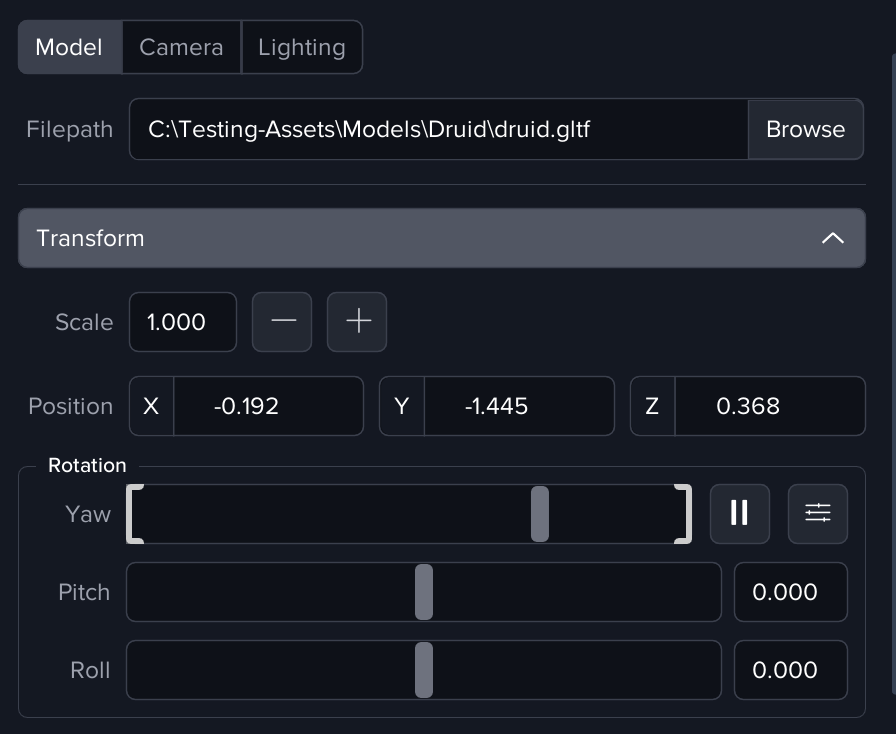
For continuous, automated display, the animate Yaw option allows you to slowly spin the model in place